BestTypist / Typing training
Typing training that makes you faster, one run at a time
You do not need long lessons to type faster. You need a clear starting point, clean habits, and a small target you can actually reach. BestTypist turns that into a few minutes of typing training a day, for free.
A simple typing training plan
- Find your starting speed. Take three one minute tests on Easy. The first run is a warm up; your real speed shows up around the third.
- Train accuracy first. Aim for 96% accuracy or more. A wrong key costs more time than a slightly slower one, and clean habits are what make you fast later.
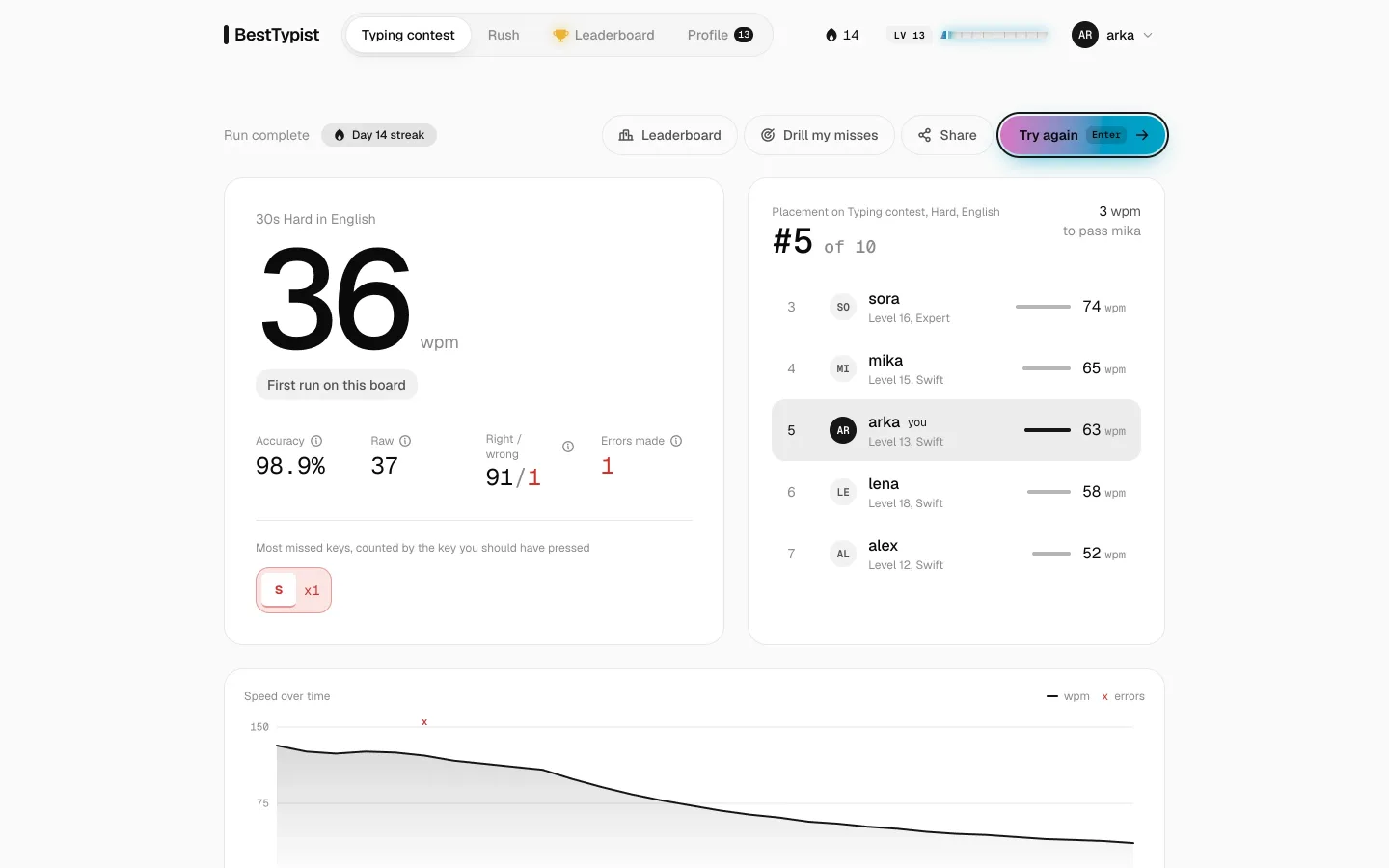
- Beat one small target at a time. After every run, BestTypist sets a target about 5% above your best on that board ("Go for 48 wpm"). Small steps add up, and you will see "Called it" when you get there.
- Drill the keys you miss. The results screen lists the keys you missed most. "Drill my misses" gives you a short practice run built from words with those keys. It does not count for the leaderboard, so there is no pressure.
- Move up when you are ready. When your accuracy stays high on Easy, try Hard (capitals and punctuation), then Amazing (numbers and symbols). The "For you" tag suggests a level based on your last few runs.
- Keep it short and regular. A few focused runs most days beat one long session. Your streak in the top bar keeps count.
What to practice for each goal
| Your goal | What to train on BestTypist |
|---|---|
| Type faster in everyday writing | General text, Easy then Hard, 1 minute tests |
| Fewer typos | Hard level, and Drill my misses after each run |
| Programming | Code: brackets, quotes and symbols, always in English |
| Data entry and numbers | Numbers: dates, prices and codes for the number row |
| Chatting and messaging | Chat: everyday conversation and texting shorthand |
| Bigger vocabulary | Dictionary: rare words and what they mean |
| Staying calm under pressure | Rush: every sentence has its own clock |
| Endurance | 2 or 5 minute tests, or 100 words |
Typing training tips that actually help
- Look at the text, not your hands. It feels slower at first and pays off quickly.
- Keep a steady rhythm. Even keystrokes are faster than bursts followed by mistakes.
- Let small mistakes go in a test. In BestTypist you can keep typing after a typo; it just will not count. Fix habits in drills, not mid run.
- Sit comfortably. Wrists relaxed, screen at eye level, fingers resting on the home row.
- Watch your accuracy, not only your speed. XP grows with the square of your accuracy, so clean runs are worth much more.
How fast should you type?
BestTypist ranks you by your average speed over your last ten contest runs, adjusted for difficulty. Use the ranks as milestones for your typing training:
| Rank | Average speed | What it feels like |
|---|---|---|
| Novice | under 25 wpm | Still looking for keys |
| Apprentice | 25 wpm and up | Comfortable with the layout |
| Typist | 40 wpm and up | Typing without much thought |
| Swift | 55 wpm and up | Faster than you can think of what to write |
| Expert | 70 wpm and up | Fast and steady |
| Master and up | 85, 100 and 120 wpm and up | Leaderboard territory |
Questions
Is this typing training free?
Yes. All tests, drills, levels and leaderboards are free, with no ads and nothing to install.
How long should I train each day?
A few short runs a day is enough. Regular, focused practice works better than one long session.
What does WPM mean?
Words per minute. BestTypist counts five characters as one word and only counts characters you typed correctly, so the number reflects clean typing.
Should I practice speed or accuracy first?
Accuracy. Fixing mistakes costs more time than typing a little slower, and clean habits are what make you fast later.
Can I train in Indonesian or Spanish?
Yes. Every kind of text is available in English, Indonesian and Spanish, except Code and Numbers, which are the same for everyone.